

A Changelog is simply a log or a record of all the important notes/changes made in a project. This project is nearly always a website or a software project. This Changelog will usually include updates on bug fixes or new features.
👉🏼 Checkout FeatureOS’s changelog ! 🚀
Embed Complete Changelog View
Start by going to the Dashboard.
Click on Changelog in the left panel.
Toggle to the Settings and Embed section.
Under the Changelog Embed option, you are provided with a script.
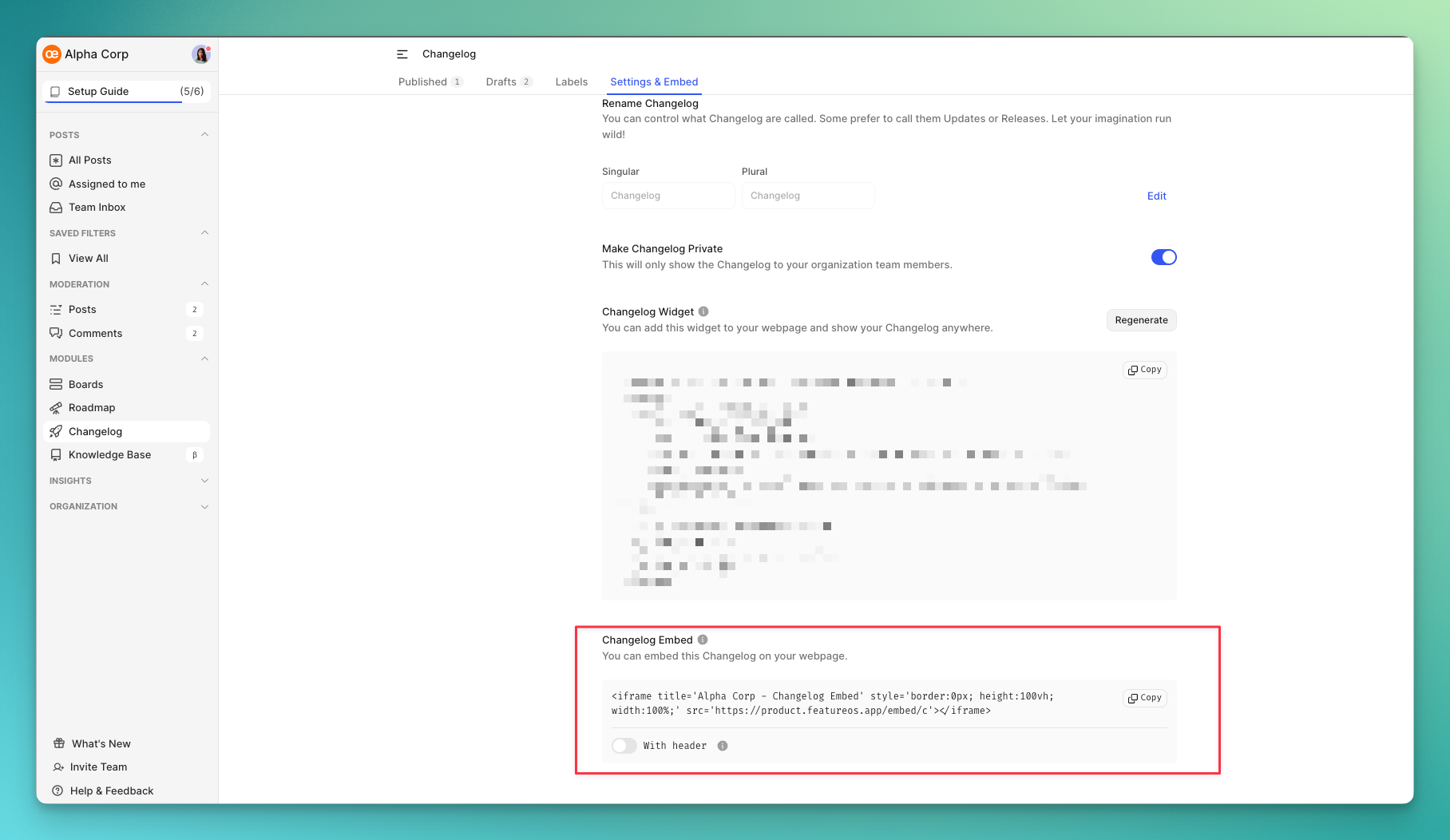
You can click on the Copy button right next to this snippet.
Please paste this code into the HTML section of your webpage.
Once this script is deployed, your Changelog will automatically be embedded in the webpage!
Embed a Single Changelog
Use this URL format to embed a specific changelog:
https://[your-domain].featureos.app/embed/c/[changelog-slug]/enExample:
https://feedback.featureos.app/embed/c/featureos-x-linear-integration-now-supports-two-way-sync/enReplace en with your language code (es, fr, de, ja, zh, etc.). View supported languages →
Label-Filtered View
Embed a filtered view showing only changelogs with specific labels:
https://[your-domain].featureos.app/embed/c?labels=[label-id]Example:
https://feedback.featureos.app/embed/c?labels=21882For multiple labels, use &-separated IDs:
https://feedback.featureos.app/embed/c?labels=1779&labels=16672&labels=1780Need more help?
Reach out to our support at [email protected] or submit a request on our support board! 😃
Was this helpful?