

FeatureOS is now available on iPhone, giving you the flexibility to manage your product workflow on the go. Whether you're commuting, in meetings, or away from your desk, you can stay connected to your feedback, track updates, and keep your team in sync.
Who Should Use This App?
The FeatureOS iPhone app is perfect for:
Product Managers who need to review and respond to feedback on the go
Team Leaders who want to monitor progress and updates in real-time
Support Teams who need quick access to knowledge base articles
Developers who want to check changelog updates and feature statuses
Anyone who wants to stay connected to their product workflow from anywhere
Getting Started :
Installation & Setup
Download the FeatureOS app from the Apple App Store.
Sign in with your existing FeatureOS account credentials.
Select your organization if you belong to multiple workspaces.
Start exploring as your entire workspace is now accessible from your iPhone.
System Requirements
iOS 15.1 or later
Active internet connection required
What You Can Do?
The FeatureOS iPhone app brings your entire feedback workflow to your pocket. Below are the key actions you can perform from your iPhone.
1. Feedback Board
Create & Manage Feedback
Browse all feedback posts with search functionality
Create new posts with title, description, board, tags, and custom fields
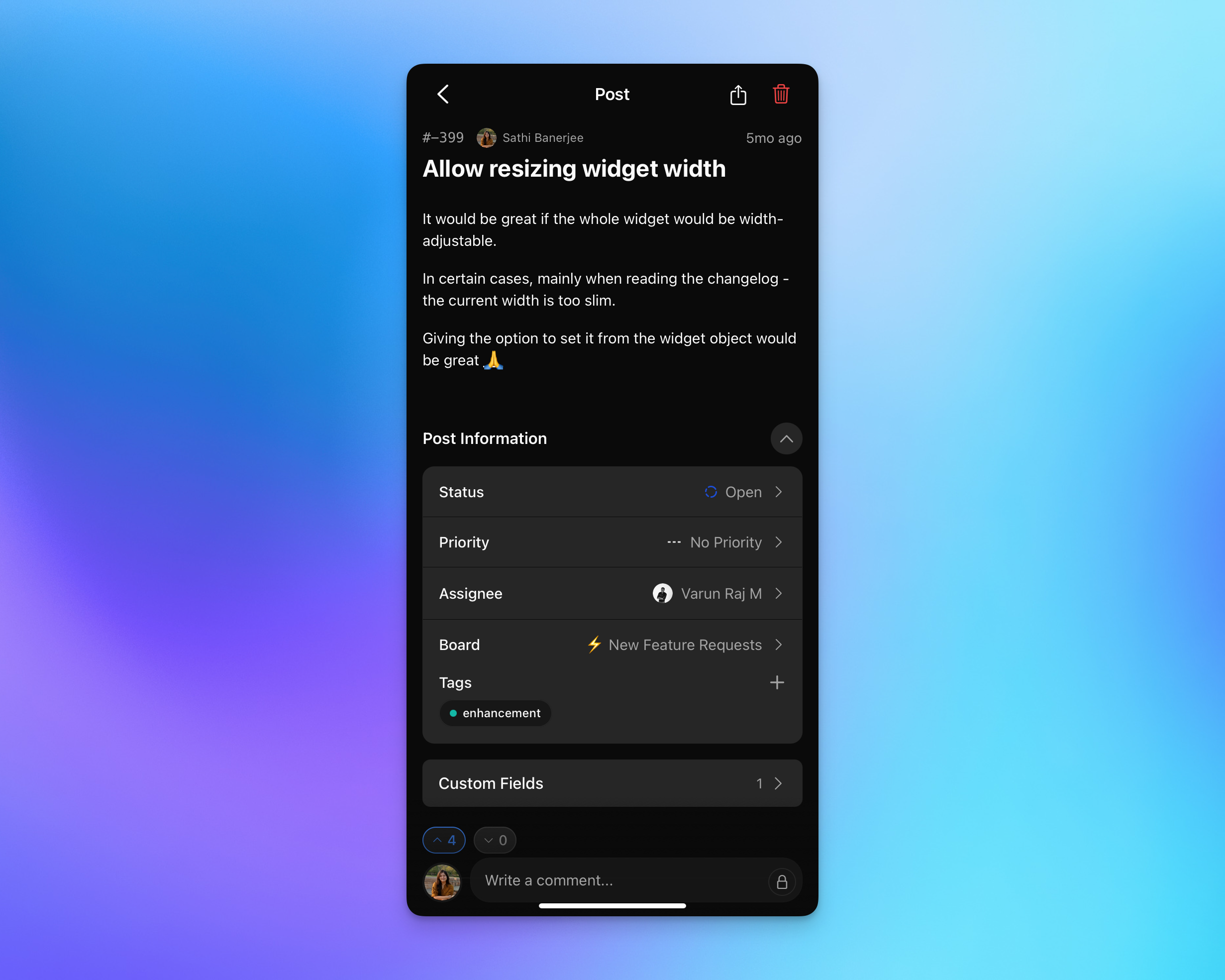
Edit post details: status, priority, assignee, board, and tags (Admin/Manager only)
Upvote and downvote posts
Share and delete posts
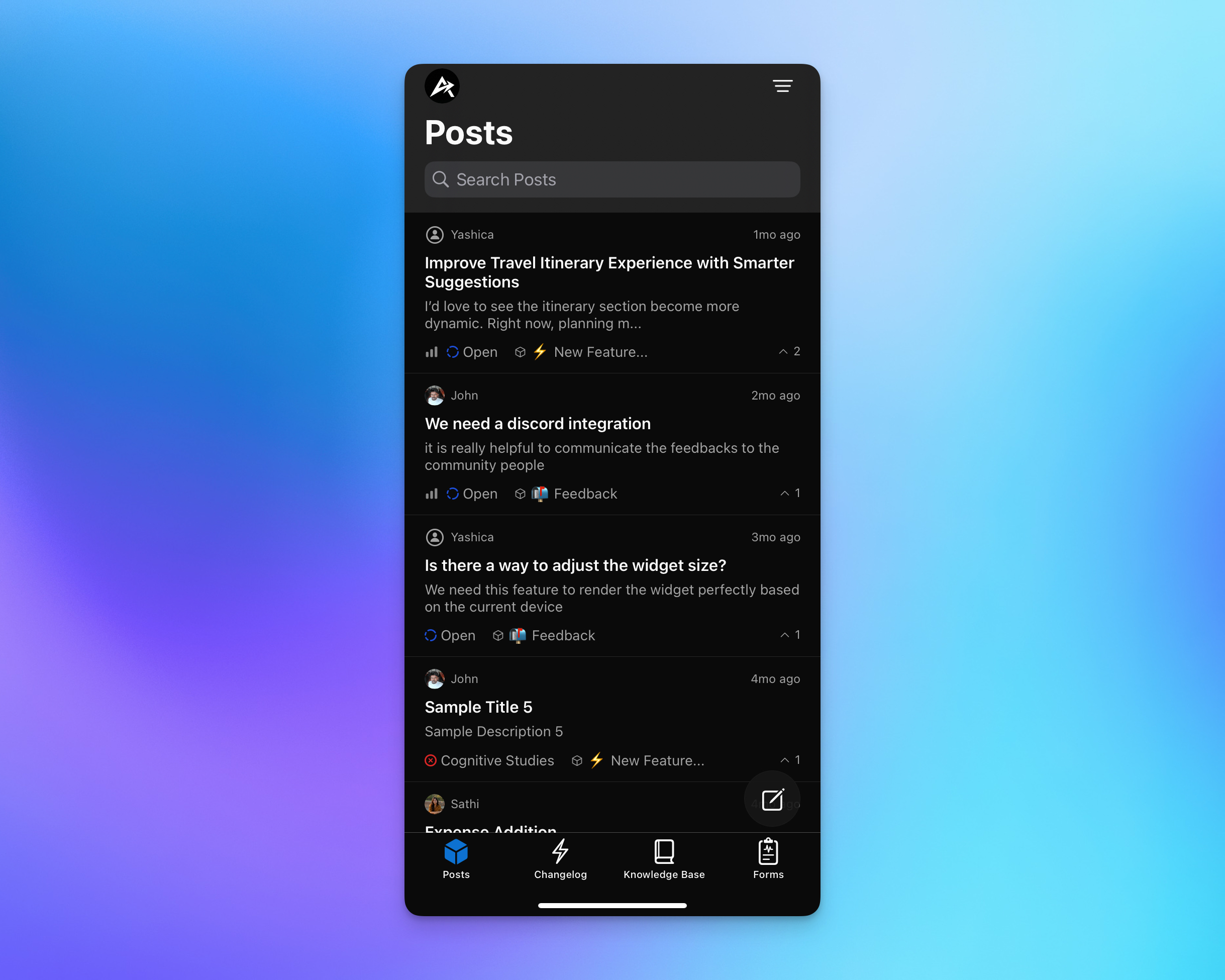
Filter & Sort
Sort by: creation time, upvotes, downvotes, update time, ETC date, status, sentiment, priority
Filter by: status, tags, board, assignee, priority
Comments & Collaboration
Add comments and reply to existing ones
Use internal comments (team-only, indicated by lock feature)
Mention team members with ‘@’
Copy, hide, or delete comments (Admin and Managers only)
Limitations:
No photo or file attachments in posts or comments
Cannot pin comments or mark as answer
No detailed text editor or quick responses
2. Changelog
View & Manage Updates
Browse all changelog with search
View rich content: videos, embeds, audio, and formatted text
React with emojis
Share changelog
Publish/unpublish changelog (Admin/Manager only)
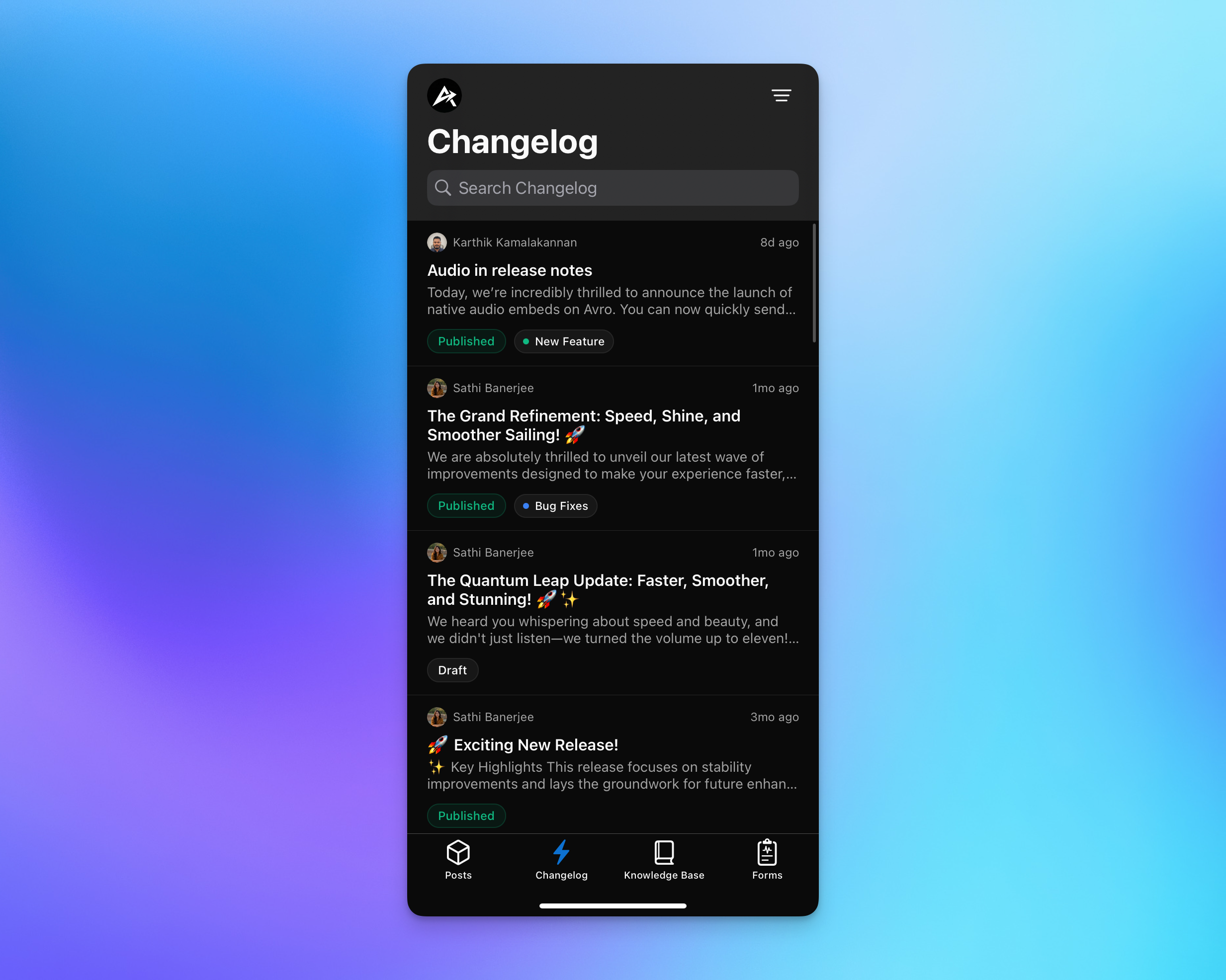
Filter Options
Filter by: status (Published/Draft), labels, author, language
Limitations:
Cannot create or edit changelogs
Comments not supported
3. Knowledge Base
Access Documentation
Switch between Collection Mode and Article List Mode
Browse collections with article counts and visibility status
Search articles across all collections
View articles with full rich content support
Share articles and collections
Publish/unpublish articles and change collections (Admin/Manager only)
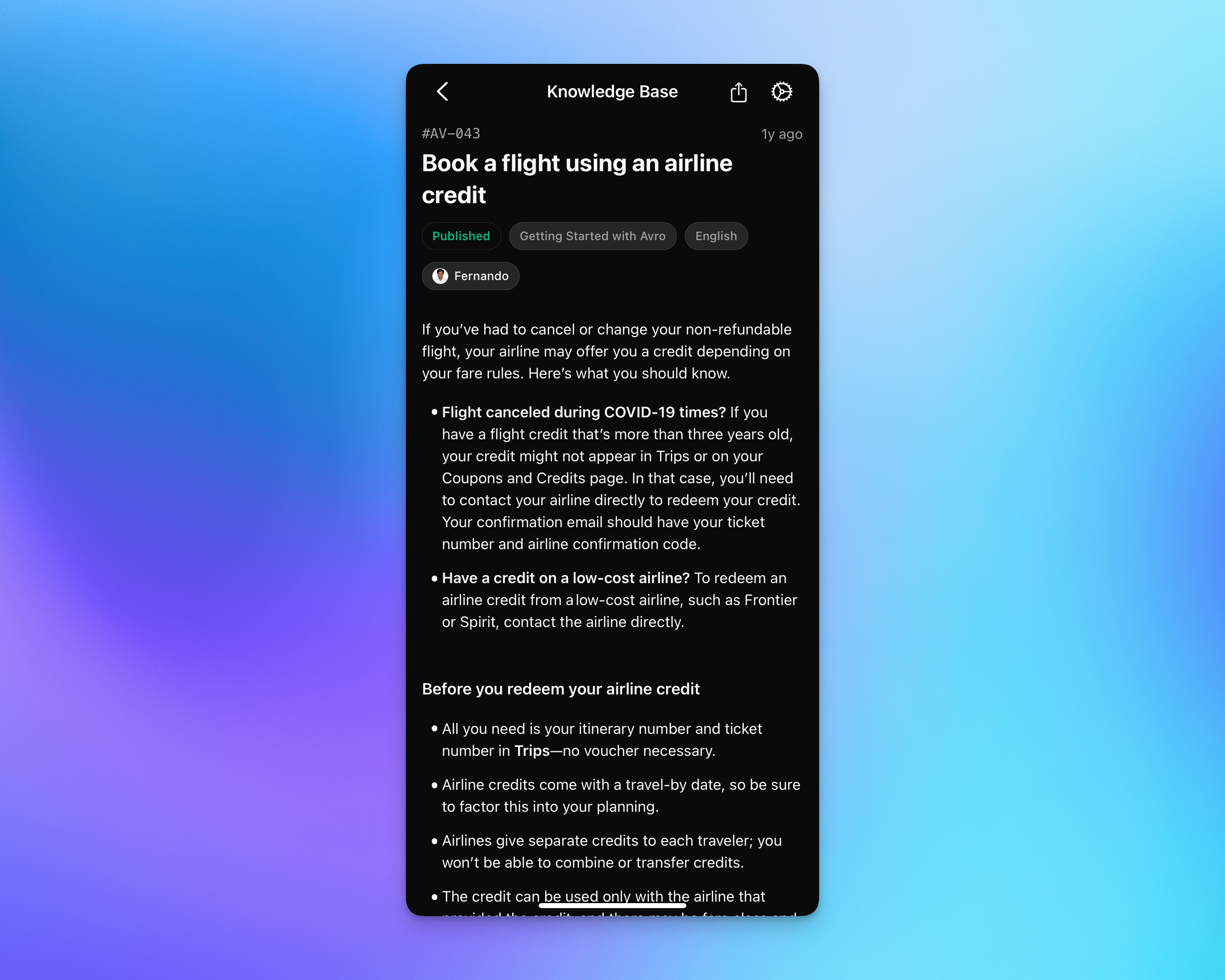
Filter Options (Article Mode)
Filter by: collection, tags, privacy (Public/Private/Internal), assignee, author
Limitations:
Cannot create or edit articles
Reactions and comments not supported
4. Forms
Manage Forms & Responses
Browse all forms with search
View form responses in table format
Copy, share, or delete individual responses (delete not available for CSM users)
Share form links
Configure form settings: publish status, categories, require sign-in, captcha, close/archive, expiry dates
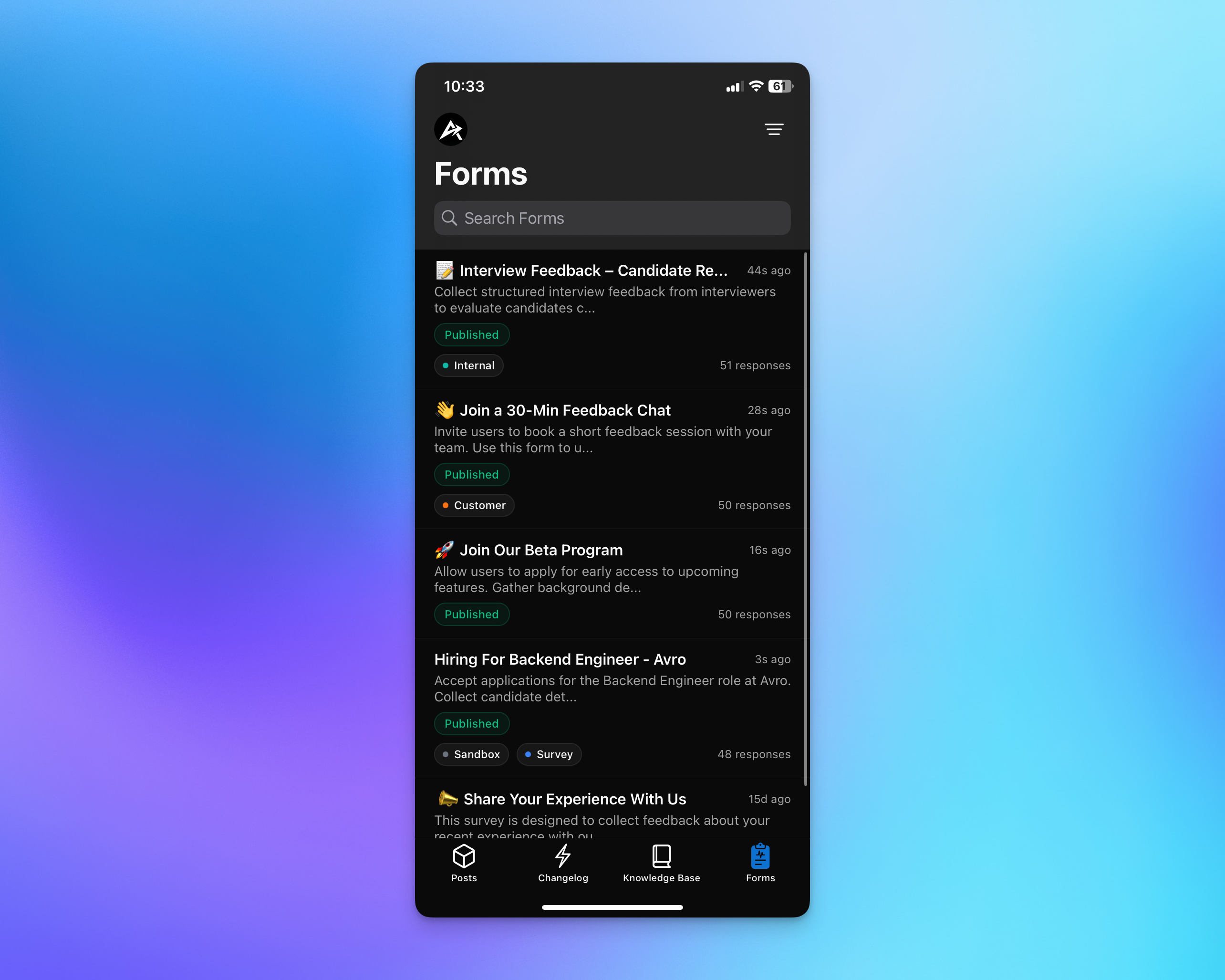
Filter Options
Filter by: status, form type (Regular/Wizard), labels, sign-in requirement, closed/open, archived/active
Limitations:
Cannot create or edit forms
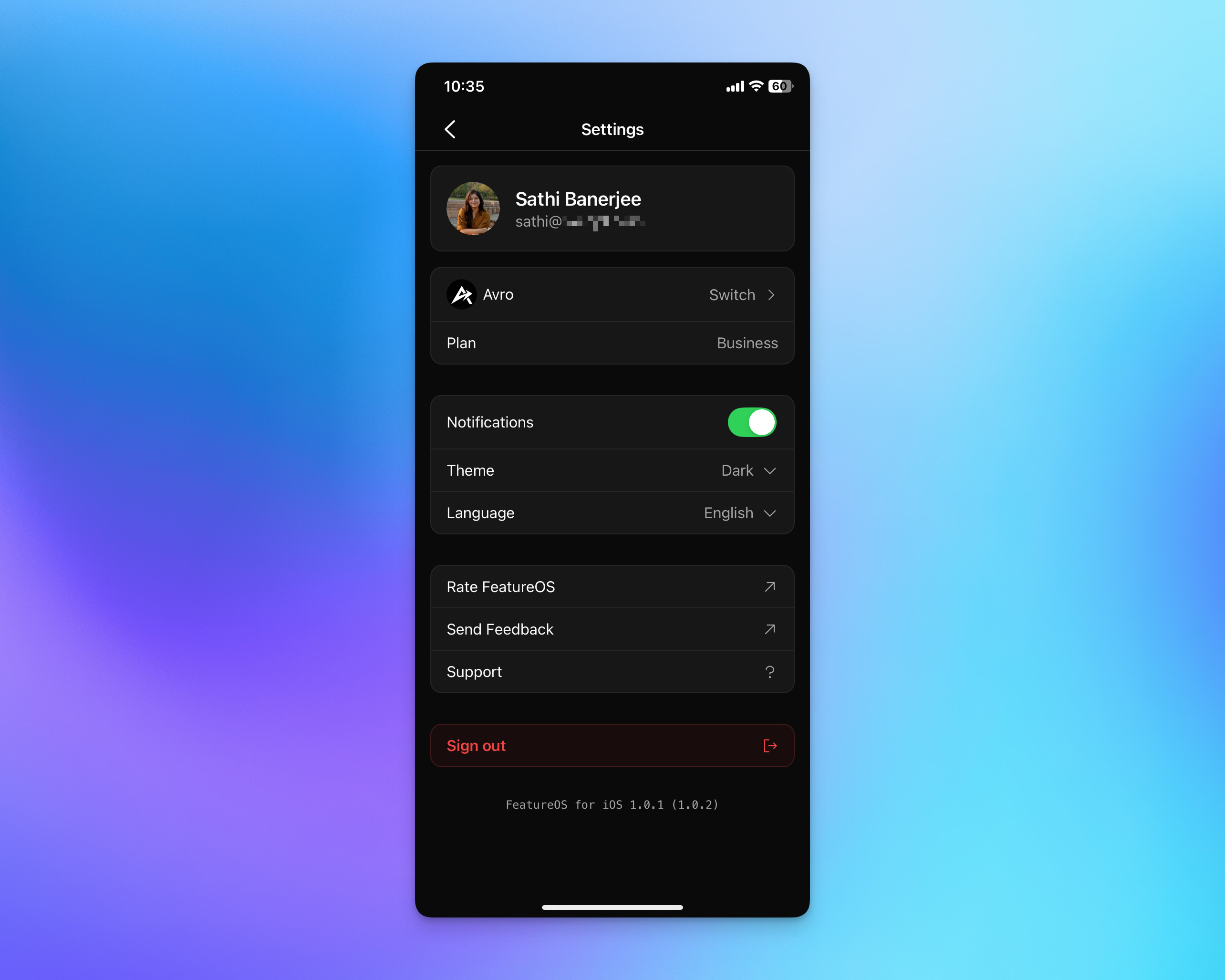
5. Settings
Customize Your Experience
Profile: View your name, email, and profile picture
Organizations: Switch between multiple organizations (expired ones won't show)
Plan: View your current plan name
Notifications: Enable/disable alerts for post creation, status changes, and comments
Theme: Choose Dark, Light, or System mode
Language: Select from 21 supported languages
Limitations:
Cannot edit profile from app
Cannot manage billing or upgrade plans
Cannot switch profiles without signing out
What's Coming Next?
We're already working on the next update with:
Enhanced navigation for easier browsing
Richer interactions and editing capabilities
Creating and editing changelogs and knowledge base articles
File and photo attachment support
Additional features based on your feedback
Have suggestions? Use the "Send feedback" option in Settings or visit feedback.featureos.app to share your ideas.
Frequently Asked Questions
Q: Can I create changelogs or knowledge base articles from the app?
A: Not yet. Current focuses on viewing, filtering, and managing existing content. Creating and editing changelogs and knowledge base articles will be added in a future update.
Q: Can I upload photos or files to posts and comments?
A: Photo and file attachments are not supported in this version but are planned for a future release. You can still create posts and comments with text.
Q: Is the app available on Android?
A: Not yet, but Android is coming soon. We're working on it! Stay tuned for updates.
Q: Does the app work offline?
A: The app requires an internet connection to sync with your workspace. Offline access is not available in this version.
Q: Can I switch between user profiles in the app?
A: Not in this version. To switch accounts, you'll need to sign out and sign back in with a different account.
Q: Can I edit my user profile from the mobile app?
A: No, profile editing is not available in the mobile app. You'll need to use the web app to update your profile information, including your name, email, or profile picture.
Q: Can I create new forms from the mobile app?
A: No, creating and editing forms is not available in this version. You can view forms, manage responses (copy, share, delete), and configure form settings like publish status and closure, but form creation requires the web app.
Q: Will I see expired organizations in the app?
A: No, expired organizations will not be displayed when switching between organizations. Only active organizations will be available.
Q: Can I pin comments or mark comments as answers?
A: Not in this version. You can comment, reply to comments, use internal comments (lock icon), and Admins can copy, hide, or delete comments. Features like pinning, marking as answer, and editing comments will be added in future updates.
Q: Does the app support multi-language changelogs?
A: Yes! If you have multi-lingual changelogs, you can filter and view them in specific languages. However, you can only select one language at a time.
Q: What role permissions do I need to edit post details or publish content?
A: Admin and Manager roles can edit post details (status, priority, assignee, board, tags) and publish/unpublish changelogs and knowledge base articles. Members have view-only access to these functions.
Q: Can I see downvotes on the feedback board?
A: Downvote counts are not displayed on the main feedback board view to keep the interface clean. However, you can still downvote posts when viewing individual post details.
Q: How do I know if a comment is internal?
A: Internal comments are marked with a lock icon. When creating a comment, tap the lock icon to make it internal (it turns yellow). Only team members can see internal comments.
Q: Can I access my billing information or upgrade my plan from the app?
A: No, billing and plan management are not available in the mobile app. You'll need to use the web app to upgrade, downgrade, or manage billing information. The app only displays your current plan name.
Was this helpful?