

You can add any feedback post to one or more Roadmaps directly from the post detail page, without leaving your current view. This makes it easy to prioritize and plan features as you review incoming feedback, and gives you the flexibility to track a single post across multiple roadmaps simultaneously.
How to Add a Post to a Roadmap
Open any post from your Boards by clicking on it.
In the right-hand sidebar, scroll down to the Roadmap section.
You will see a list of roadmaps the post is currently assigned to.
Click + Add to Roadmap at the bottom of the Roadmap section.
Select the roadmap you want to add the post to.
The post will be linked instantly and will appear in the selected roadmap view.
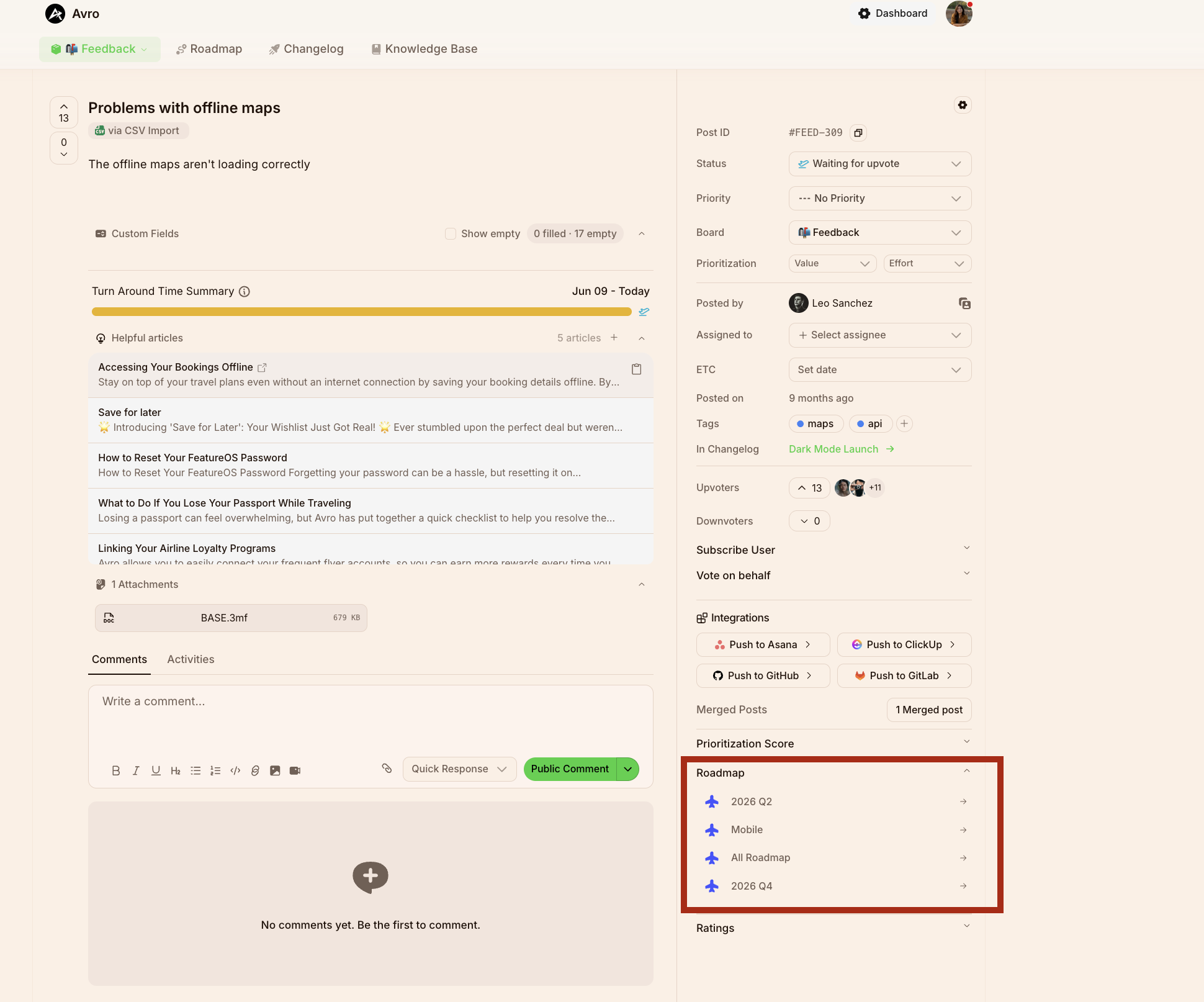
Adding a Post to Multiple Roadmaps
A single post can be added to multiple roadmaps at the same time. This is especially useful when a feature or request is relevant across more than one planning view.
Common scenarios where this helps:
A feature belongs to both a product-area roadmap (e.g., Mobile) and a quarterly roadmap (e.g., 2026 Q3)
A request is tracked on the All Roadmap view for company-wide visibility, as well as a team-specific roadmap
A post needs to appear in both a public-facing roadmap and an internal planning roadmap
To add a post to an additional roadmap, simply click + Add to Roadmap again and select another roadmap. Each roadmap entry will appear as a separate row in the Roadmap section of the sidebar, and the post will be independently trackable on each one.
Understanding the Roadmap Section in the Sidebar
The Roadmap section displays all roadmaps the post has been assigned to. For each entry you will see:
The roadmap name (e.g., Mobile, All Roadmap, 2026 Q3)
A quick-access arrow to navigate directly to that roadmap
If no roadmaps are listed, the post has not been added to any roadmap yet.
Things to Keep in Mind
Adding a post to a roadmap does not change its status, priority, or board, those fields remain independent.
Each roadmap assignment is managed separately, so updating the post's position or status on one roadmap does not affect the others.
To remove a post from a specific roadmap, navigate to that roadmap view and manage the post from there.
Need more help?
Reach out to our support at [email protected] or submit a request on our support board! 😃
Was this helpful?