

A single piece of feedback rarely stands alone. A request for "bulk exports" connects to "scheduled reports," which connects to "email delivery." When users only see the one post they landed on, they miss the wider conversation happening around it. Related Posts surfaces those connections!
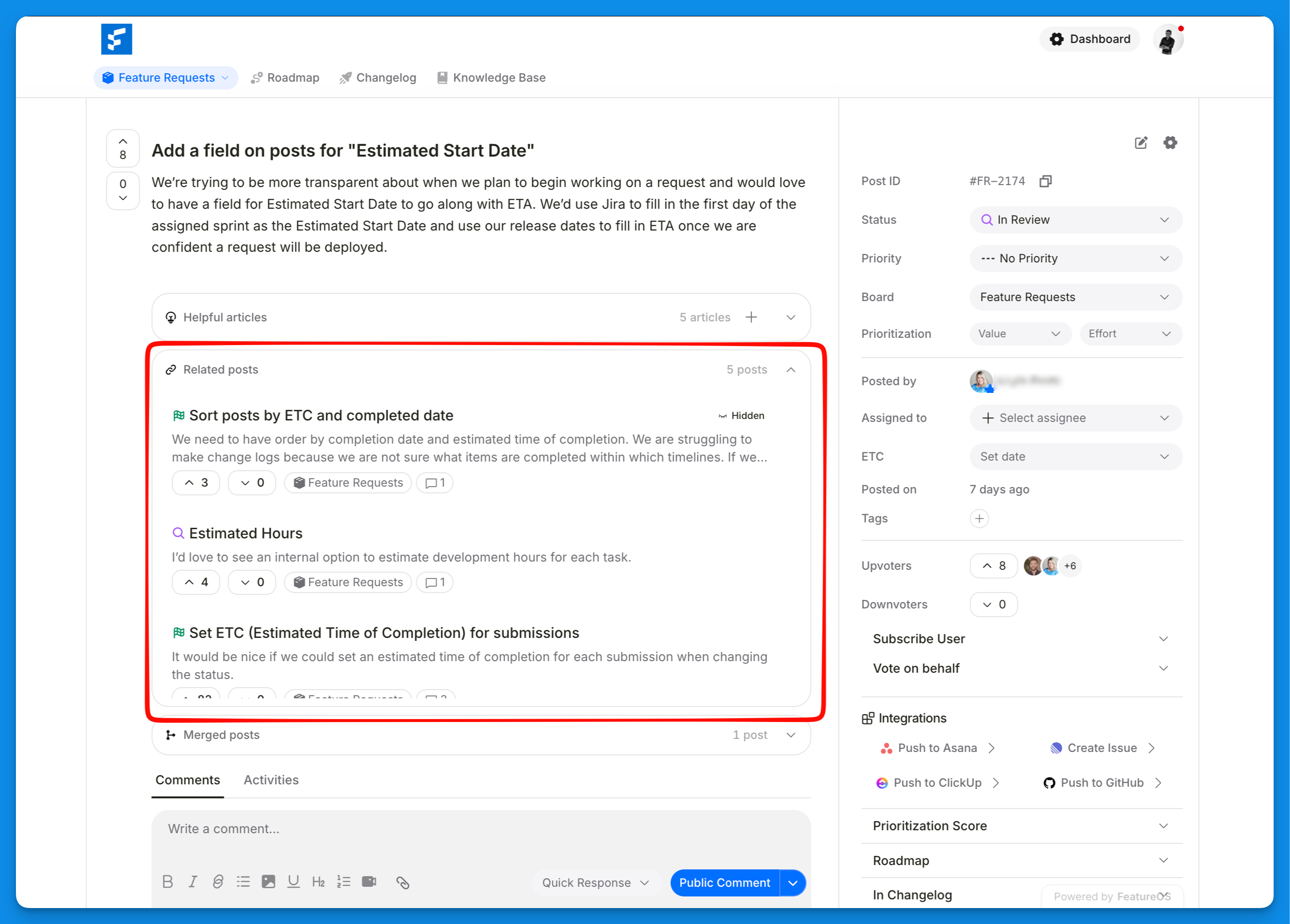
It shows a short list of relevant posts at the bottom of every post page, helping users discover ideas linked to the one they're reading. They can follow the thread, upvote what resonates, and add their voice across related requests, giving you a richer, more connected view of what your users want.
How matching works
Related Posts matches by meaning, not just keywords.
It's built using Semantic search with vector embeddings, which means each post is understood by what it's about rather than the exact words it uses.
In practice, a post titled "dark theme on iOS" can surface as related to "dark mode for the mobile app," even though they share almost no words. Keyword search would miss that connection. Semantic matching catches it.
How to enable related post linking
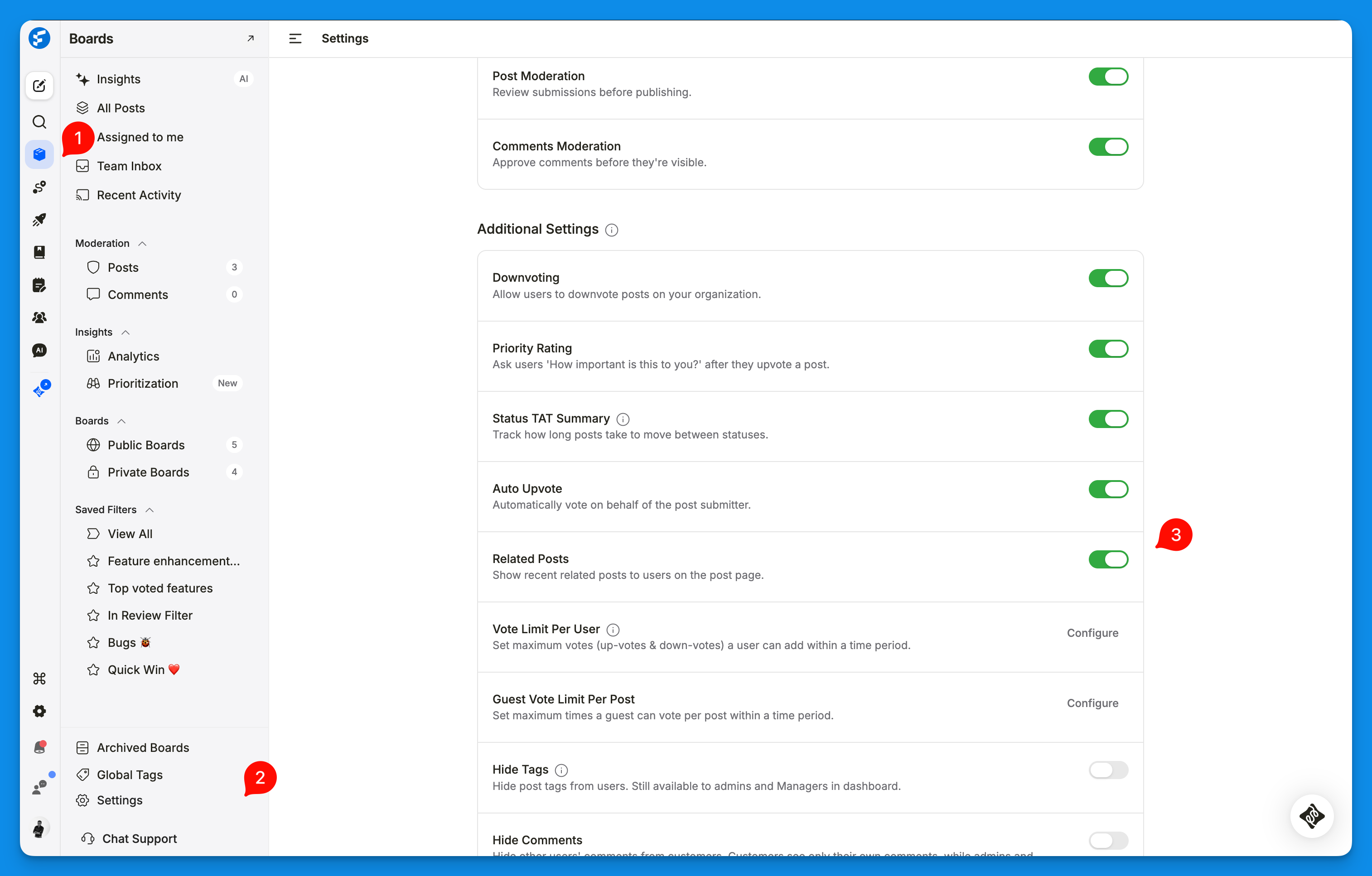
Head to Dashboard > Boards > Board Settings
Scroll to the Additional Settings section
Toggle Related Posts on. Once enabled, related posts appear automatically on every post page.
What your users see
At the bottom of any post, users see a short list of the most relevant recent posts. Clicking one takes them straight to that post, where they can read the details, upvote, and comment.
Need more help?
Reach out to our support at [email protected] or submit a request on our support board! 😃
Was this helpful?