

You can now use the AI Configuration settings to ensure every article in your Knowledge Base matches your brand's unique voice and structure automatically. By setting global preferences, you can save time on editing and maintain a consistent, high-quality experience for your users.
How to Configure Your AI Settings
You can set your default writing preferences in just a few steps:
Access Knowledge Base: From your main dashboard, click on the Knowledge Base icon in the left-hand navigation bar.
Navigate to AI Config: Under the Settings section in the sidebar, click on AI Config.
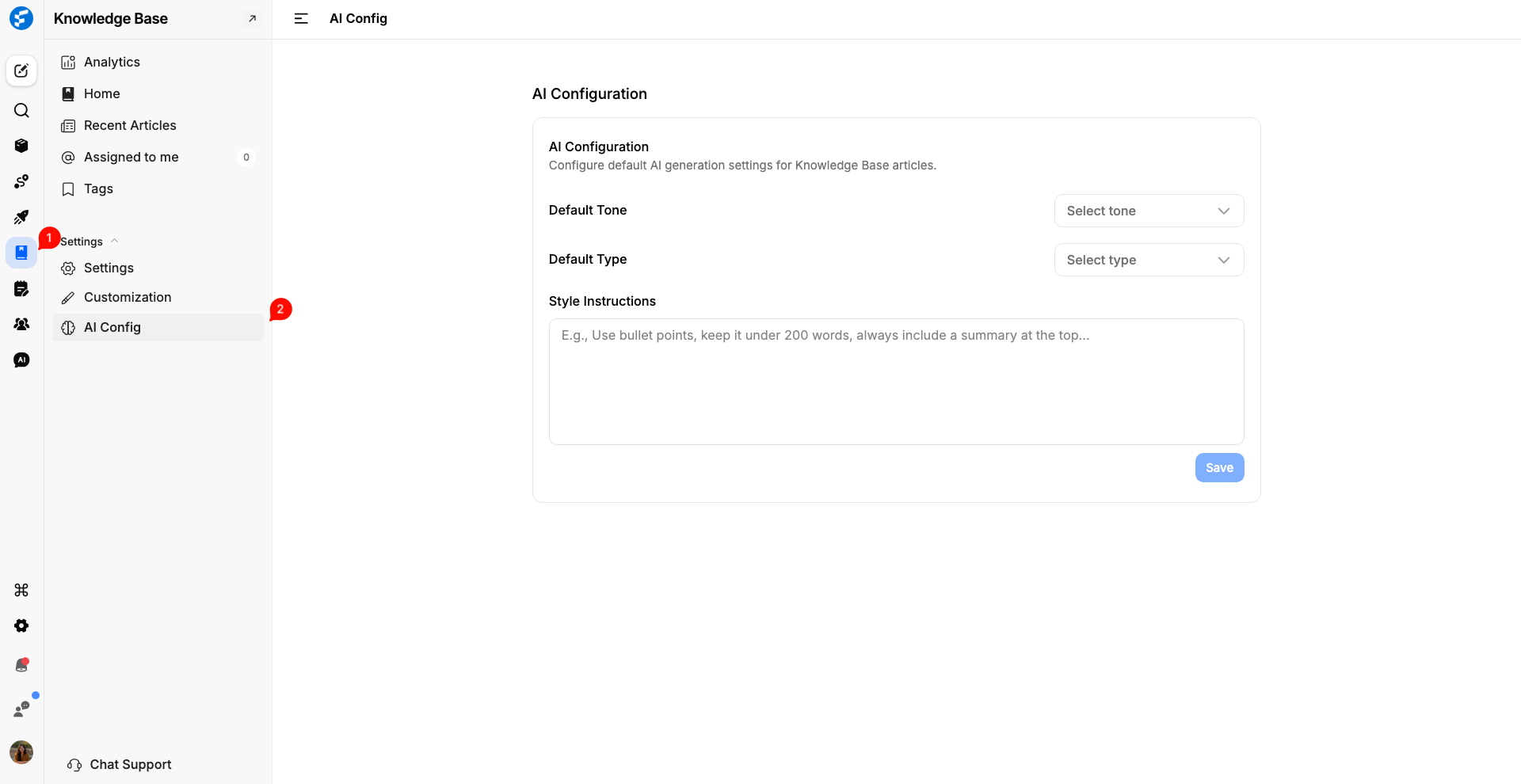
Set Your Defaults:
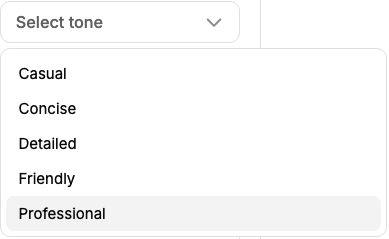
Default Tone: Choose the "voice" that best fits your brand. You can select from Casual, Concise, Detailed, Friendly, or Professional.
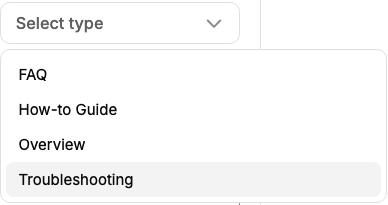
Default Type: Select the standard format for your documentation, such as an FAQ, How-to Guide, Overview, or Troubleshooting article.
Add Style Instructions: This is where you can get specific. Provide detailed guidance in the text box, such as:
"Use bullet points for all procedural steps."
"Keep the language simple and avoid technical jargon."
"Always include a 'Pro-Tip' section at the end of the article."
Save Your Settings: Click the Save button. These rules will now be applied to every new article generated by the AI within your Knowledge Base.
Why Global AI Configuration Matters
Brand Consistency: You can ensure that whether you or a teammate generates an article, the tone remains uniform across your entire help centre.
Faster Drafting: By defining your style upfront (like always wanting a summary at the top), you spend less time manually formatting and more time shipping content.
Reduced Iteration: Clear Style Instructions mean the AI gets it right the first time, significantly reducing the need for "re-prompting" or heavy rewriting.
Scalability: As your product grows, your documentation can keep pace without losing the "human" touch that makes your brand relatable.
Need more help?
Reach out to our support at [email protected] or submit a request on our support board! 😃
Was this helpful?