

Keeping content private shouldn’t make sharing difficult. You can now share private posts with specific people using secure shared links, without changing visibility or granting permanent access.
This feature gives you controlled, temporary access for the right person, at the right time.
What this feature does
Shared links let you grant time-bound access to a private post while keeping it otherwise restricted. You decide how access is delivered, how long it lasts, and when it ends.
Key capabilities
Generate a secure access link for any private post
Send access via direct link, email, or OTP verification
Choose how long the link remains active (from short-term to long-term access)
Automatically revoke access after the link expires or is no longer valid
Maintain the post’s private status at all times
Why this matters
Previously, sharing private content often meant adjusting permissions or temporarily making content visible. Shared links remove that friction by giving you precise, temporary access control without compromising privacy.
This is especially helpful when you need to share information that is:
sensitive
time-bound
review-only
intended for a limited audience
Common use cases
Client sharing: Send confidential updates or documents without making the post public.
Temporary review: Give someone short-term access for feedback or approval.
External access: Share information securely with people outside your workspace.
Controlled collaboration: Let a teammate view a private post without changing permissions.
Time-bound announcements: Provide access that automatically expires when it’s no longer needed.
How to use shared links
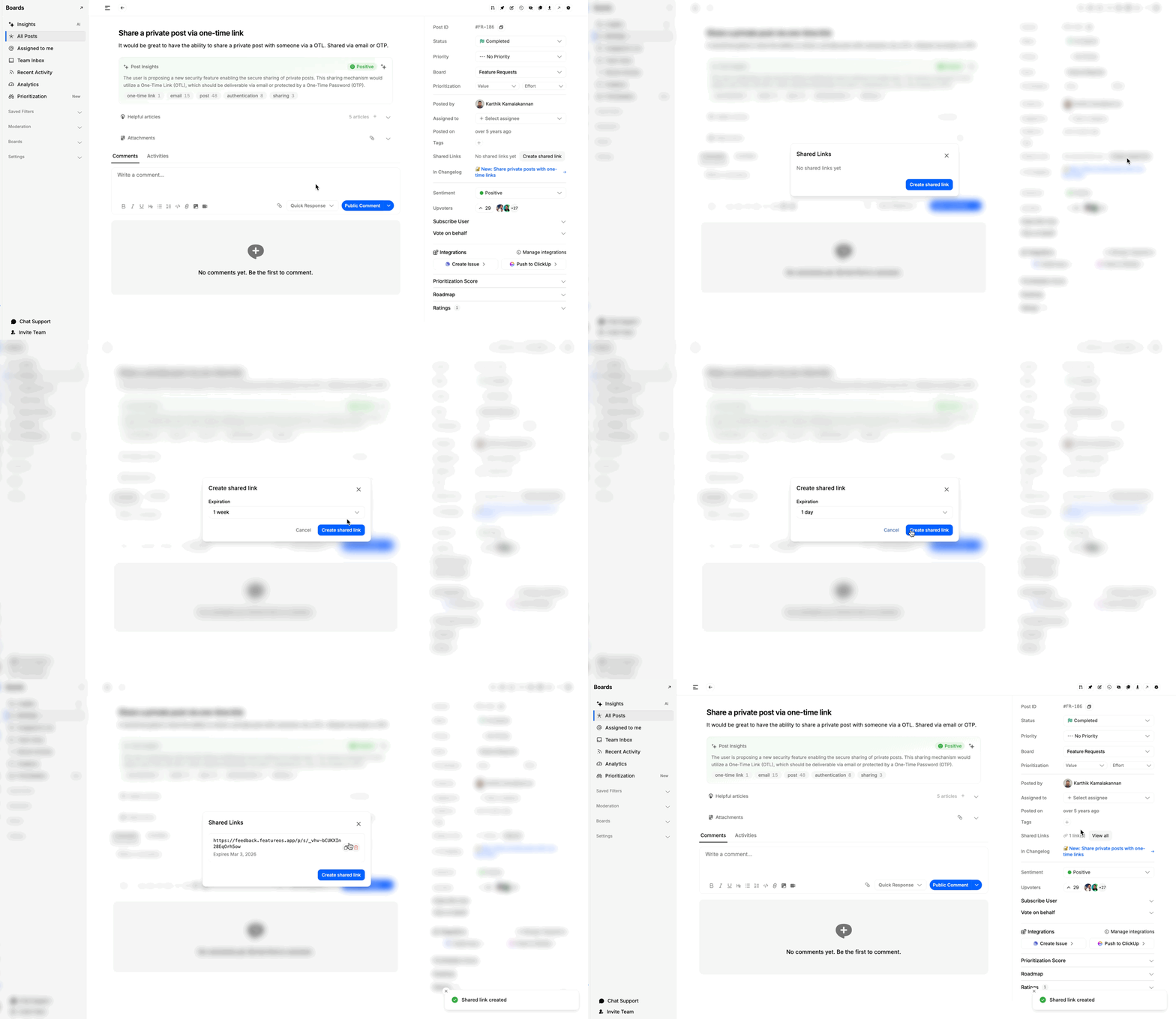
Open the private post from the dashboard
Select Create shared link
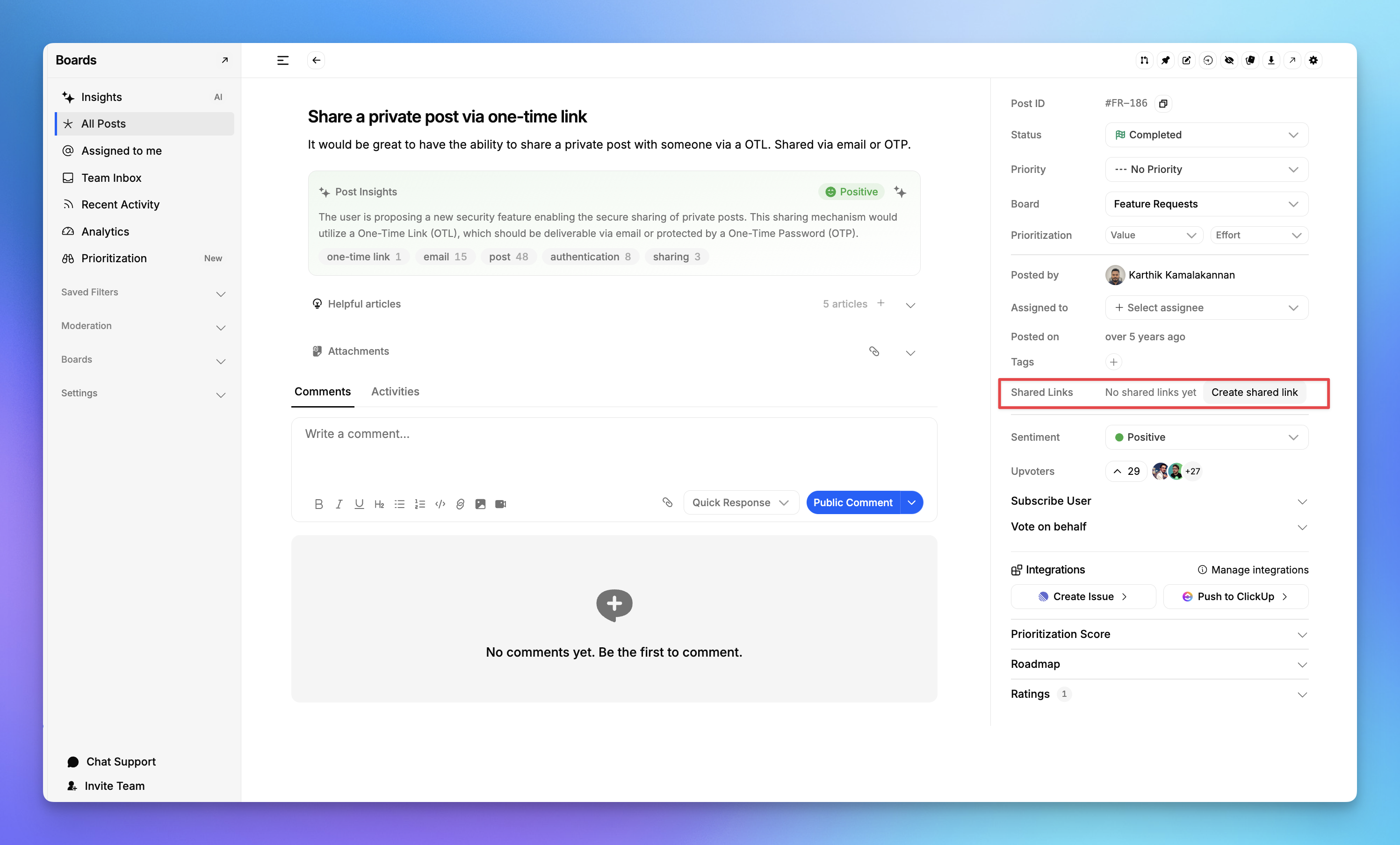
Choose expiration and delivery method
Share the link with your recipient
Built with security in mind
Each shared link is uniquely generated and time-bound. Optional verification ensures access reaches only the intended recipient, and expiration automatically removes availability when it’s no longer needed.
Need more help?
Reach out to our support at [email protected] or submit a request on our support board! 😃
Was this helpful?