

When users land on your roadmap, they can choose between two views which are Timeline and Kanban. The Default User View setting lets you decide which one they see first. Since this is configured per roadmap in multiple roadmaps, you can set a different default for each roadmap in your workspace depending on how it's structured and what makes the most sense for your audience.
To get started, open the roadmap you want to configure and go to its Settings.
How to set it
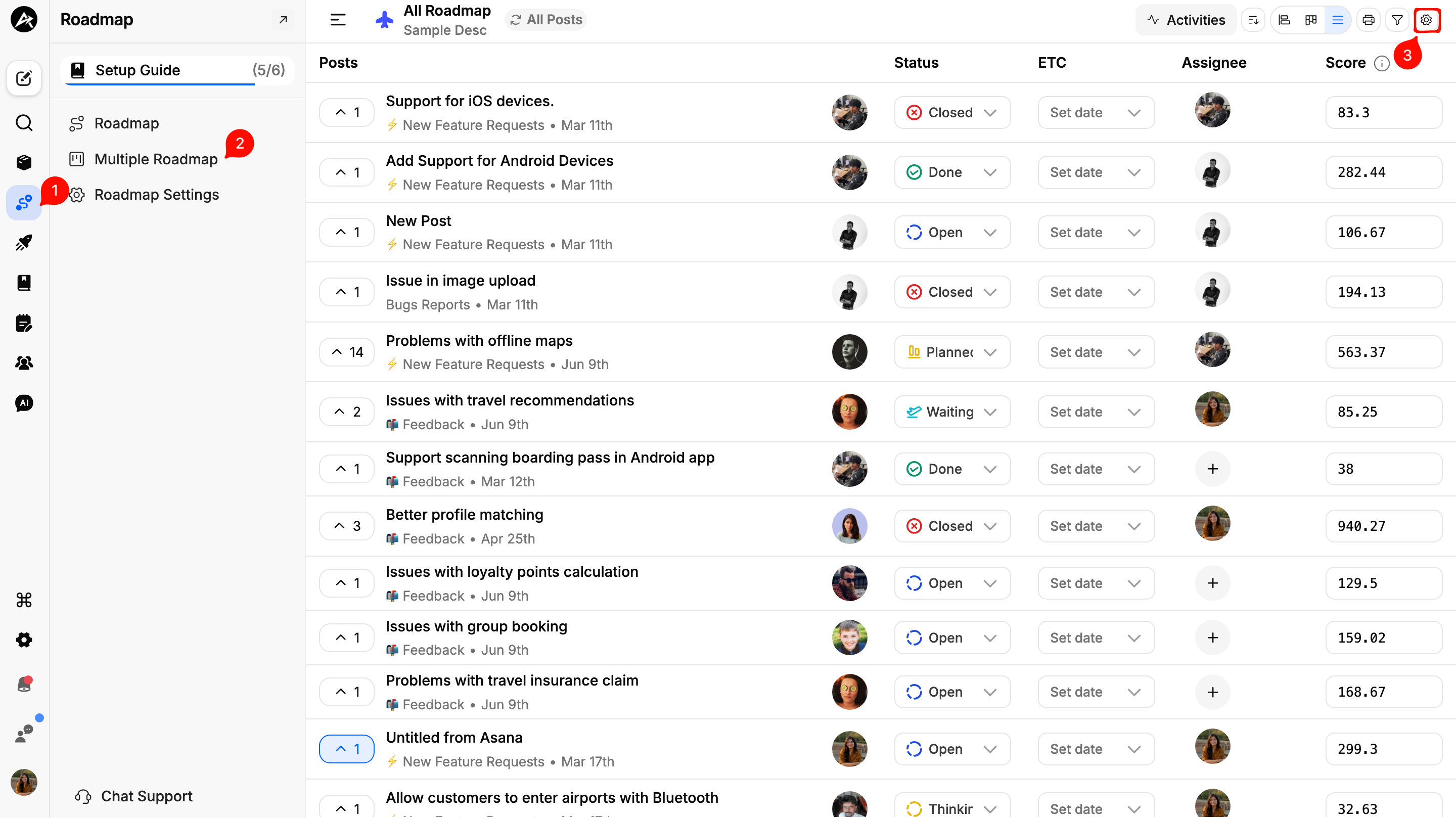
Head to Dashboard and then go to Roadmap Module
Go to Multiple Roadmaps
Open the roadmap you want to configure
Go to its Settings at the top right corner of your screen
Scroll down to Default User View
Select either Timeline or Kanban from the dropdown
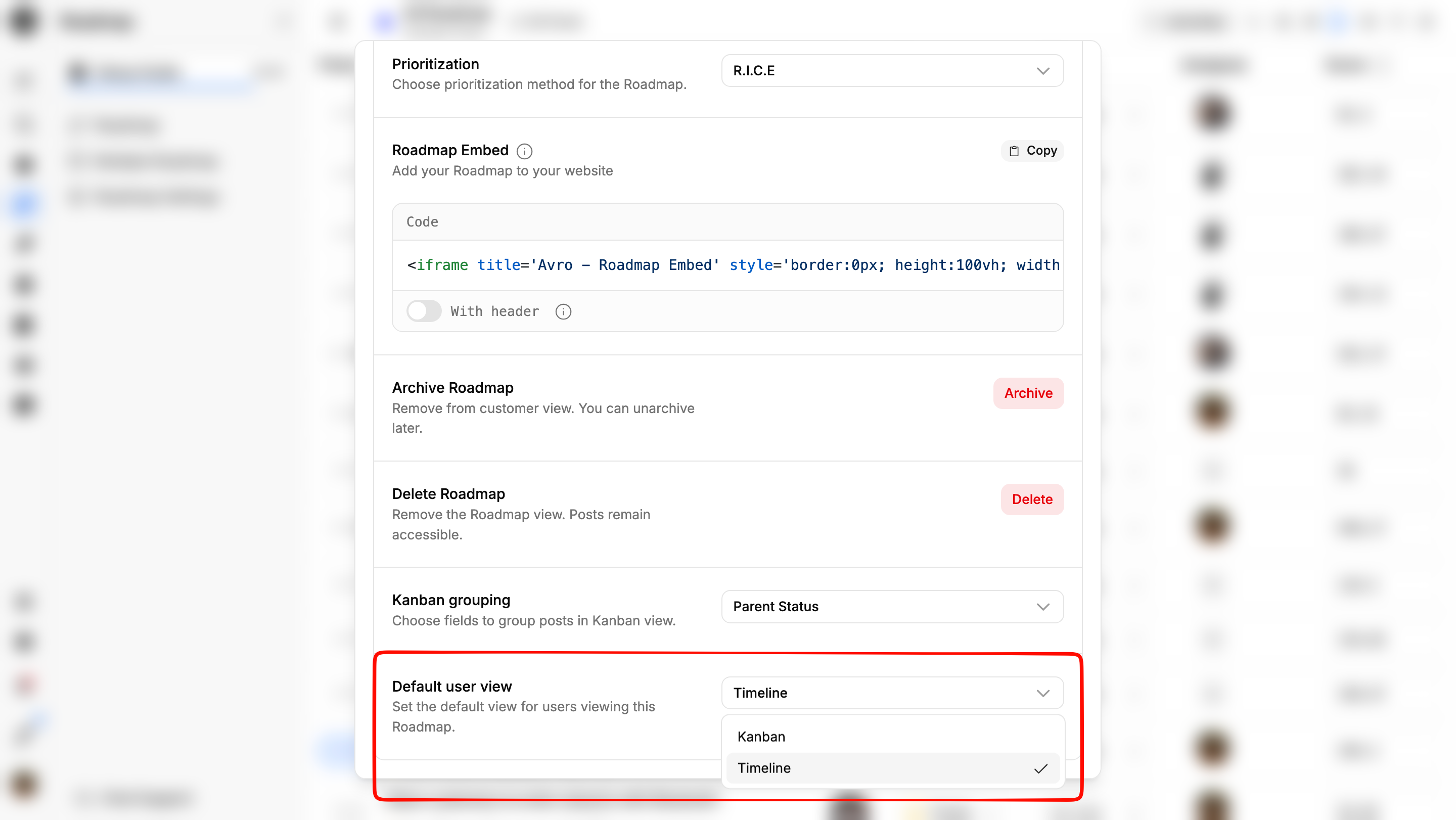
Save your changes
Which view should you pick?
There's no universal right answer here and it depends on what each roadmap is trying to communicate.
a. Timeline works best when dates and delivery order are the focus. If your roadmap is built around a schedule and you want users to see how work is sequenced over time, Timeline gives them that context immediately.
b. Kanban works better when progress and status matter more than specific dates. If your roadmap is organized around stages like Planned, In Progress, and Shipped, Kanban makes it easier for users to get a quick read on where things stand.
Need more help?
Reach out to our support at [email protected] or submit a request on our support board! 😃
Was this helpful?