

As an organization grows, the volume of feedback and activity can lead to a busy inbox. To help your team stay focused, FeatureOS allows administrators to manage notification settings on behalf of their team members. Whether a colleague is on leave or simply needs to reduce noise, you can quickly toggle off their email alerts from the admin dashboard.
How to Disable Notifications for a Team Member
If you have administrative permissions, you can manage these settings with just a few clicks:
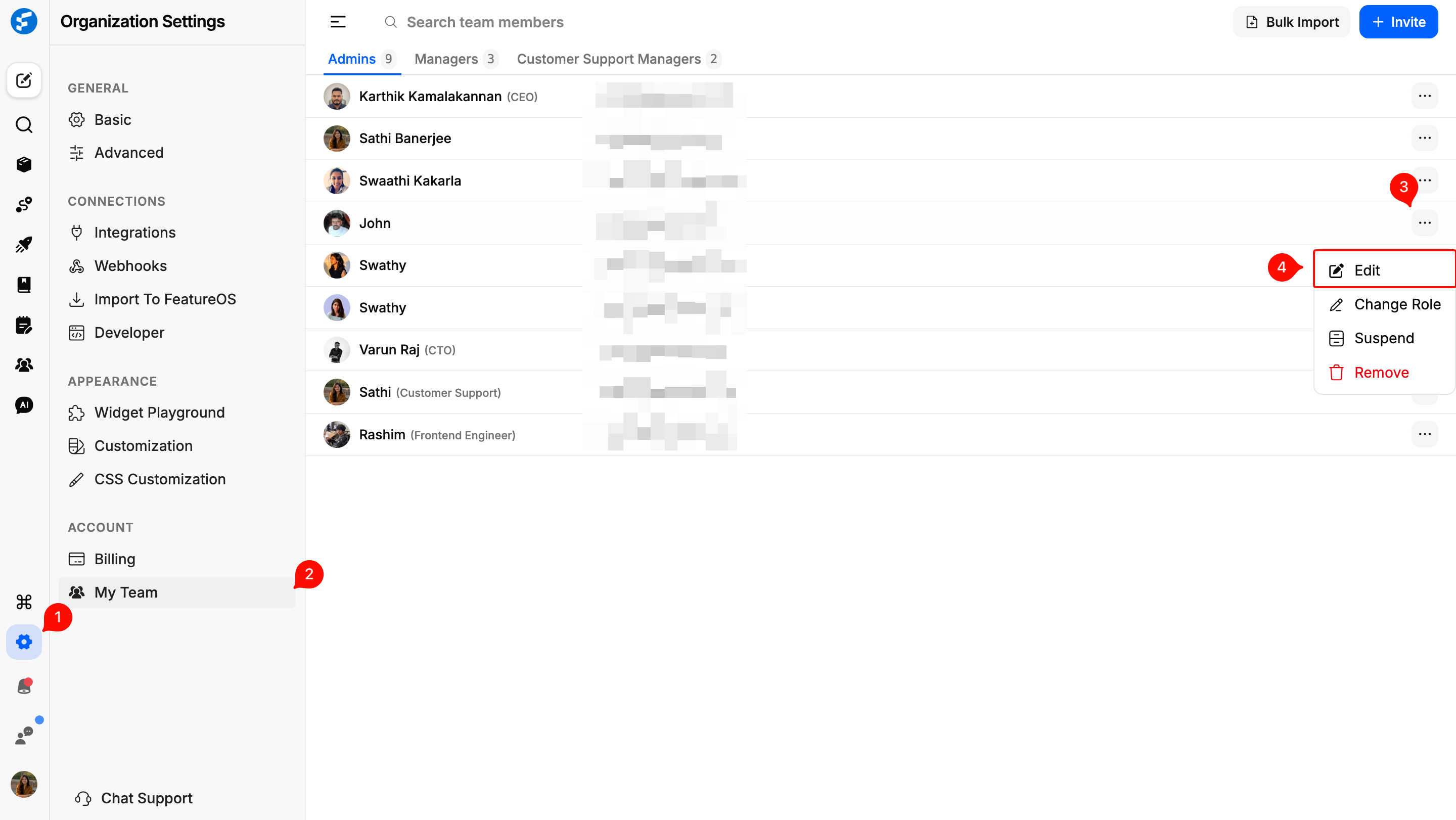
From your main Dashboard, click on Organization Settings in the left-hand navigation menu.
Select the My Team tab to see a full list of your current members and contributors.
Locate the team member you wish to update. Click on the three-dot menu (⋮) on the far right of their profile row.
Select Edit Profile from the dropdown options.
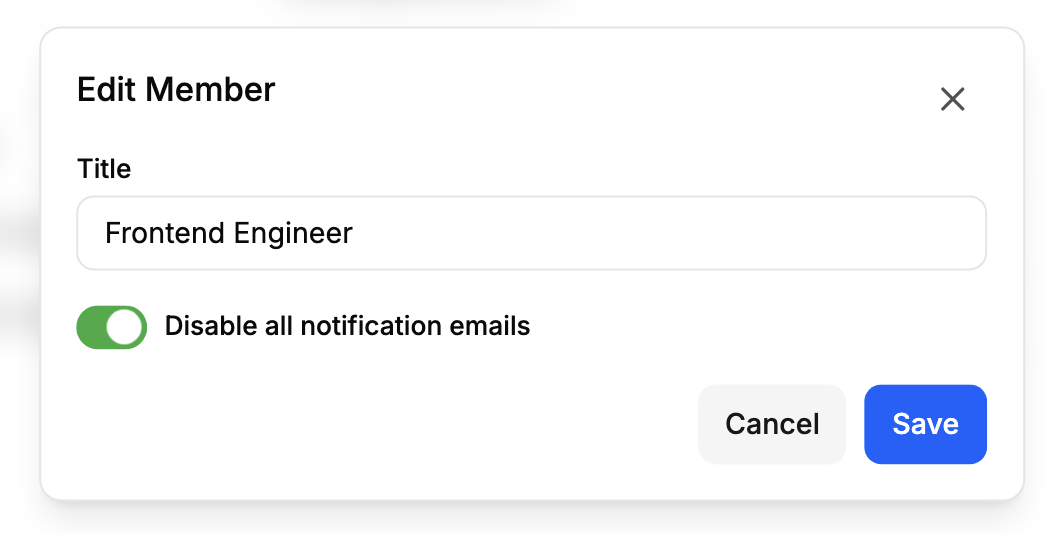
Toggle the Disable all notification emails switch, and hit Save.
Why Use This Feature?
Reducing Noise: Help your engineering or design teams stay in "deep work" mode by turning off non-essential alerts for specific projects or periods.
Managing Absences: If a team member is away on vacation or leave, an admin can temporarily disable their notifications to prevent an overflow of unread emails.
Onboarding & Offboarding: Easily control the flow of communication for new hires or team members transitioning between departments.
Need more help?
Reach out to our support at [email protected] or submit a request on our support board! 😃
Was this helpful?